
01_user_documentation:03_interacting_with_groimp:02_panels:19_assets_libraries:02_spectrallight
Table of Contents
Spectral Light
provided by the plugin LightLibrary
This library provides predefined SPD files for light sources.
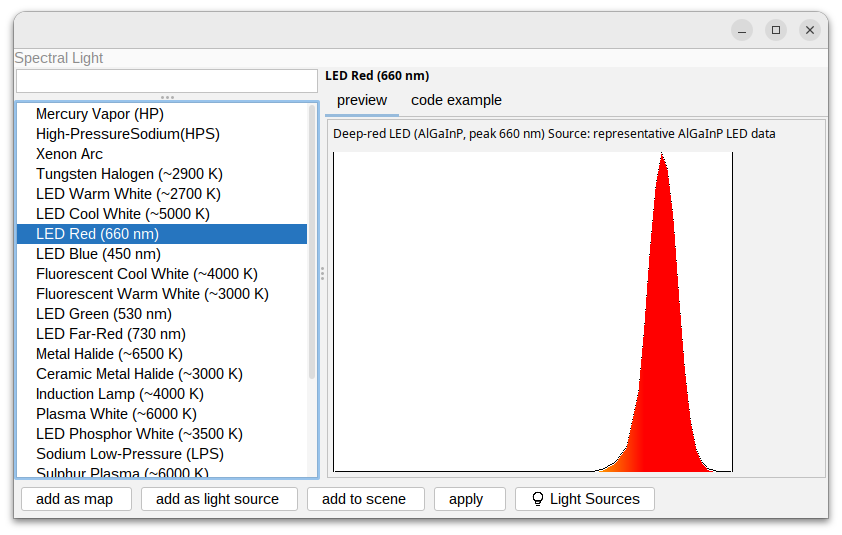
Functionalities
From the panel it is possible to use the following functions on a selected spectral:
- add as map: to add a SpectralLightNode to the Spectra explorer
- add as light source: to add as a light source to the Light Sources
- add to scene: to create a lightNode with a light source with the spectral as input and add it to the current scene
- apply: apply on a selected object if possible (if the object is a light Node, or a light source). If the current light source of this object is not spectral it will be used as light input on the spectral Light
- Light Sources: open the Light explorer
RGG usage
To use this SPD through RGG code a set of functions can be used:
to get a SPD:
spdLib("LED Red (660 nm)")
to get a SpectralLightMapNode object:
spectralMapLib("LED Red (660 nm)")
to get a SpectralLight object.
spectralLightLib("LED Red (660 nm)")
to get a SpectralLight with a PhysicalLight as a source (see Spectral library).
spectralPhysicalLightLib(High-PressureSodium(HPS),"LED Red (660 nm)")
A simple working example could be:
protected void init ()
[
  Axiom ==> LightNode().(setLight(spectralLightLib("LED Red (660 nm)")));
]
01_user_documentation/03_interacting_with_groimp/02_panels/19_assets_libraries/02_spectrallight.txt · Last modified: by Tim